
Single imageRemove an unwanted person
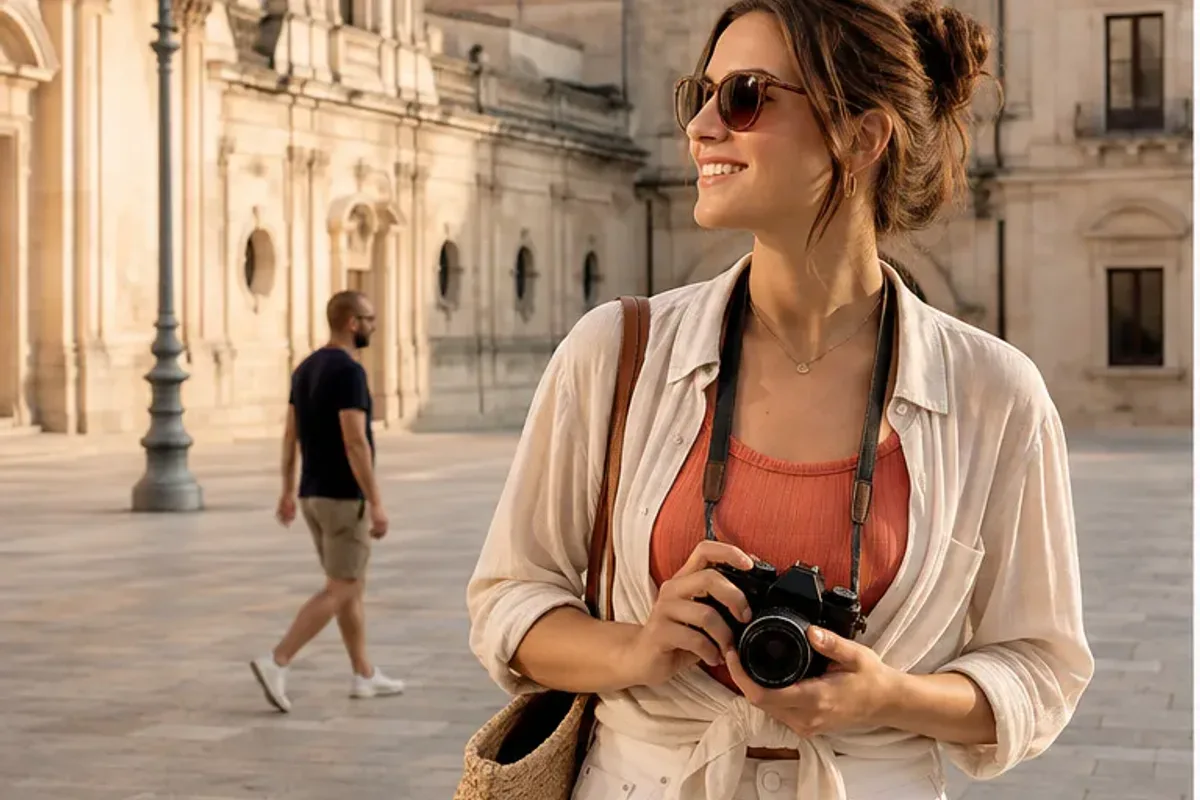
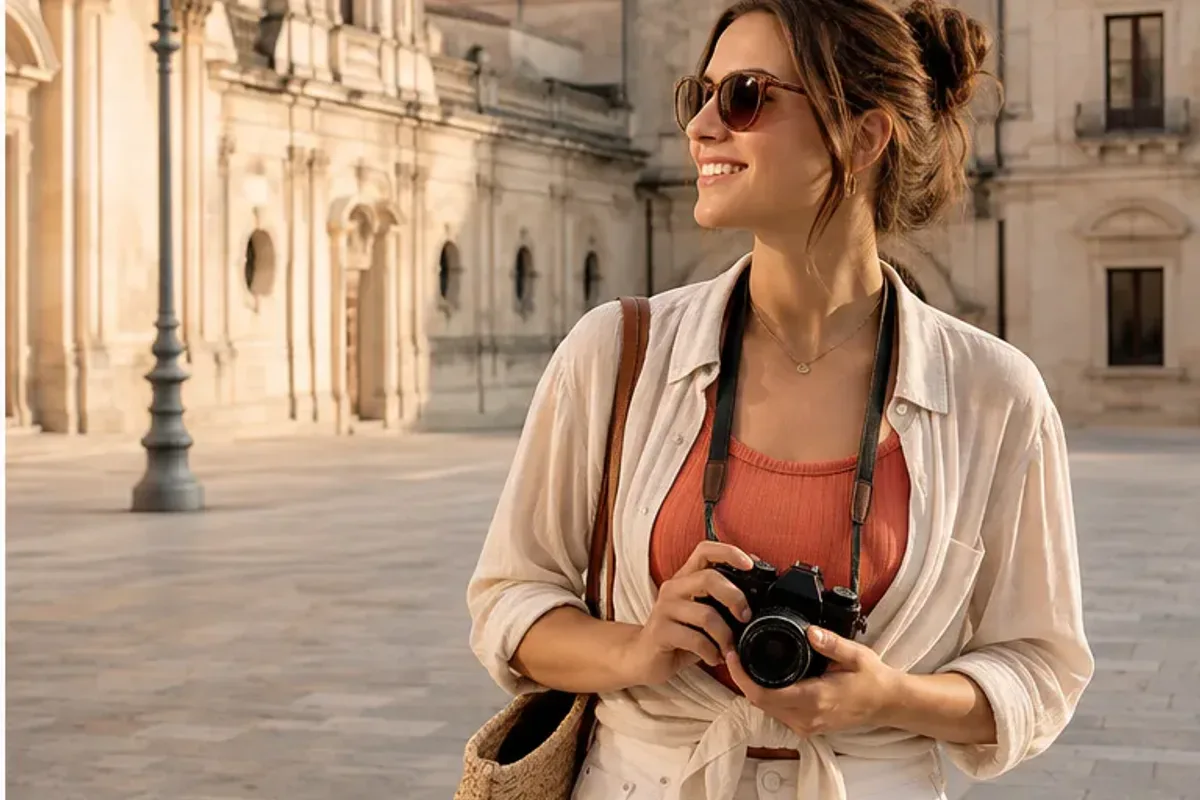
Prompt
“Remove the passerby behind the traveler. Rebuild the plaza naturally and keep the subject, architecture, and warm light unchanged.”
Give your photos a new background, cleaner details, or a different mood. Upload an image and describe the change, or add a second reference to guide the result—all in CiciGPT’s online editor.
Try 1 free edit daily as a guest. Signed-in edits cost 5 credits each.
Tell us what to change and what to keep. Use one photo or add a second reference.
If you’re exploring a Picsart photo editor alternative, start with the change you want to make. CiciGPT lets you describe an edit in plain language and use an optional second image as a reference. It is designed for prompt-based photo changes, from a new product setting to a more balanced portrait. For users comparing Picsart alternatives, the starting point is a specific photo task. Try the CiciGPT workspace to see whether this approach fits the edit you had in mind when searching for Picsart.
Explore CiciGPT’s AI photo editorThese AI-generated illustrations were created for this Picsart alternative guide; they are not verified CiciGPT results. Compare each editing idea, then load its source image and prompt to try your own version. Actual results will vary.
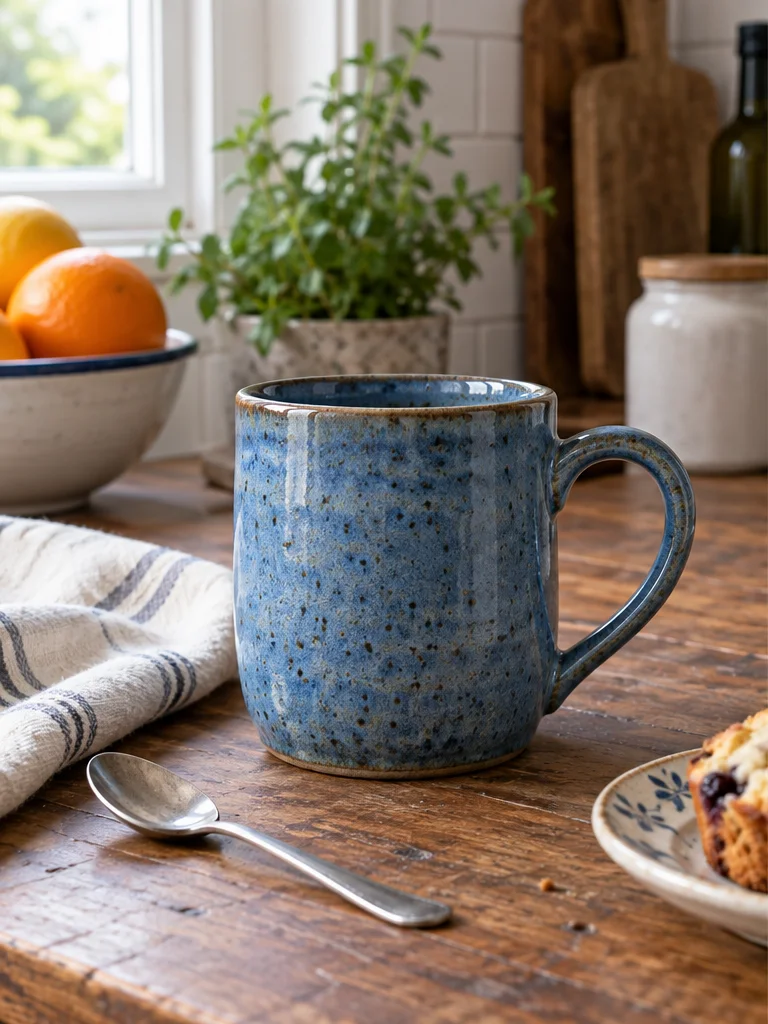
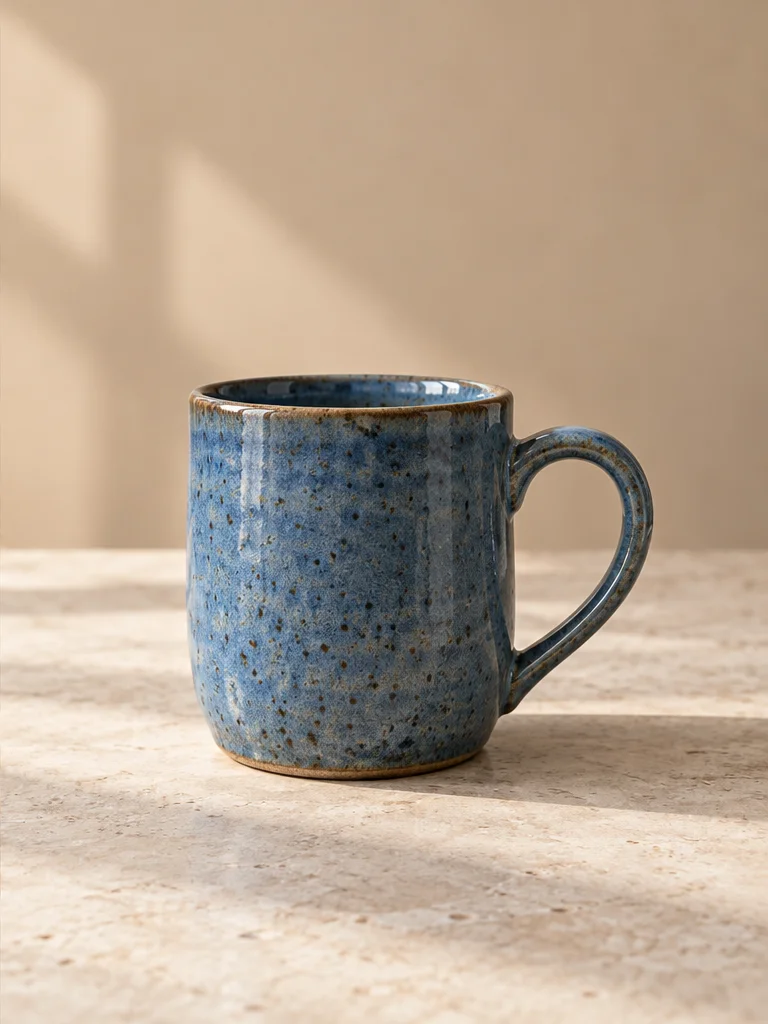
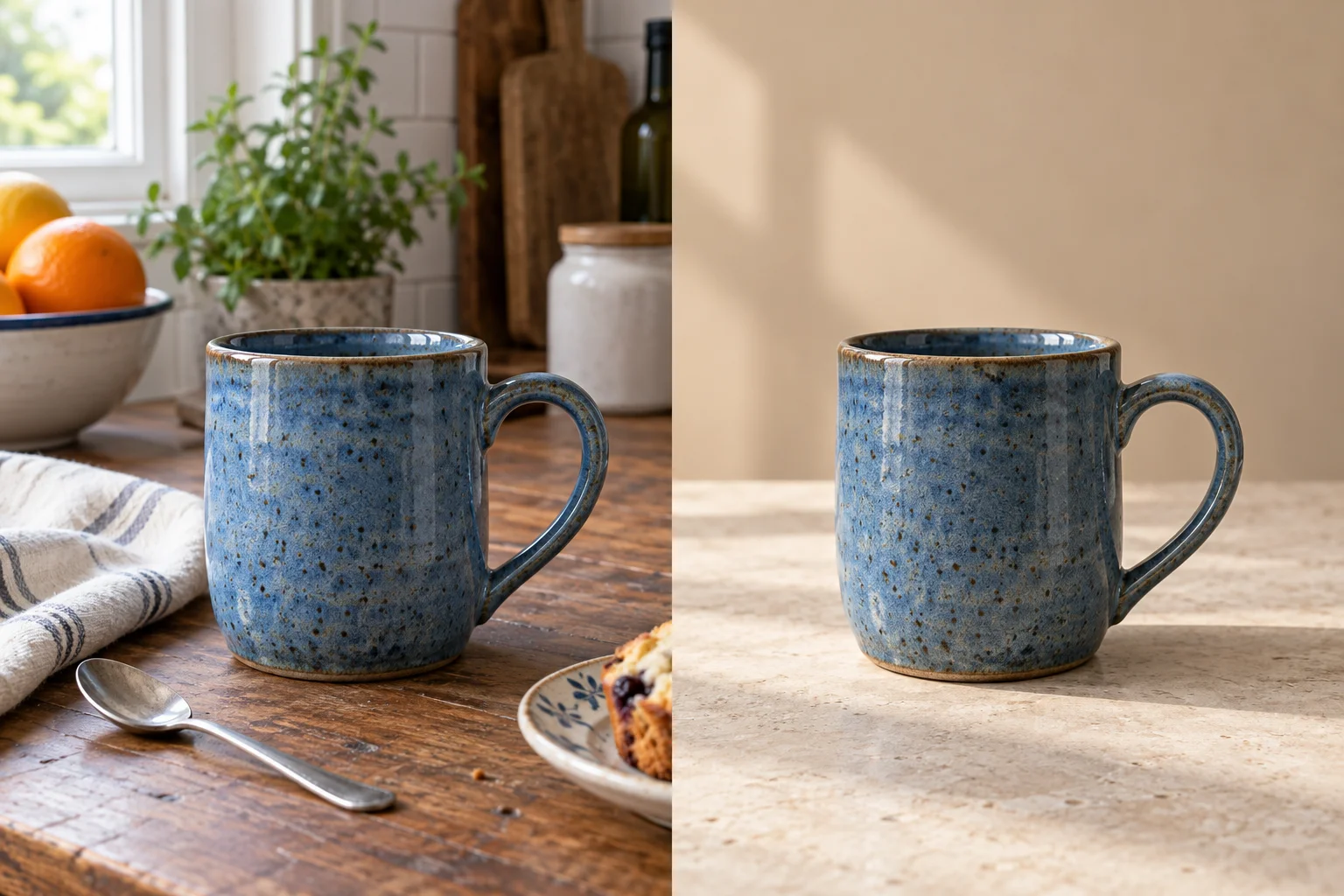
Looking for a Picsart background changer alternative for handmade goods? Give this blue mug a pale stone surface and a warm beige wall. Name the glaze, handle, and rim as details to preserve. For a shop listing, compare the ceramic color and silhouette with the original; a cleaner setting should not misrepresent the product.
Place this blue ceramic mug on a pale stone counter against a warm beige wall. Remove the kitchen clutter. Keep the curved handle, speckled glaze, rim, proportions, and camera angle. Match the soft shadow to daylight from the left.
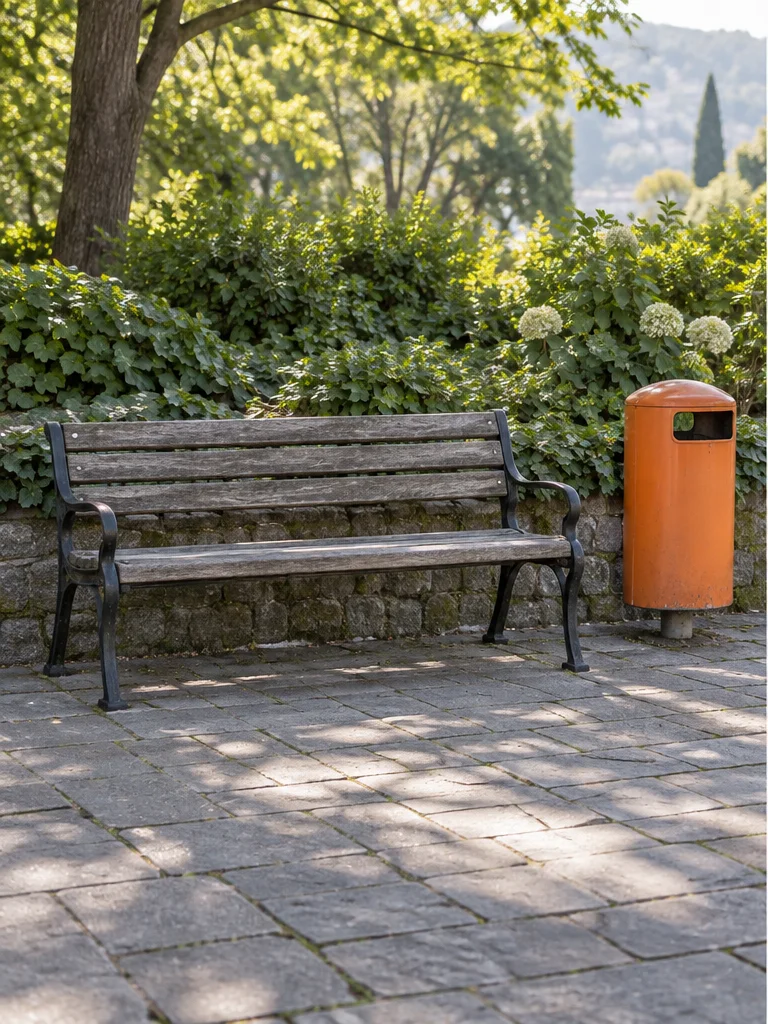
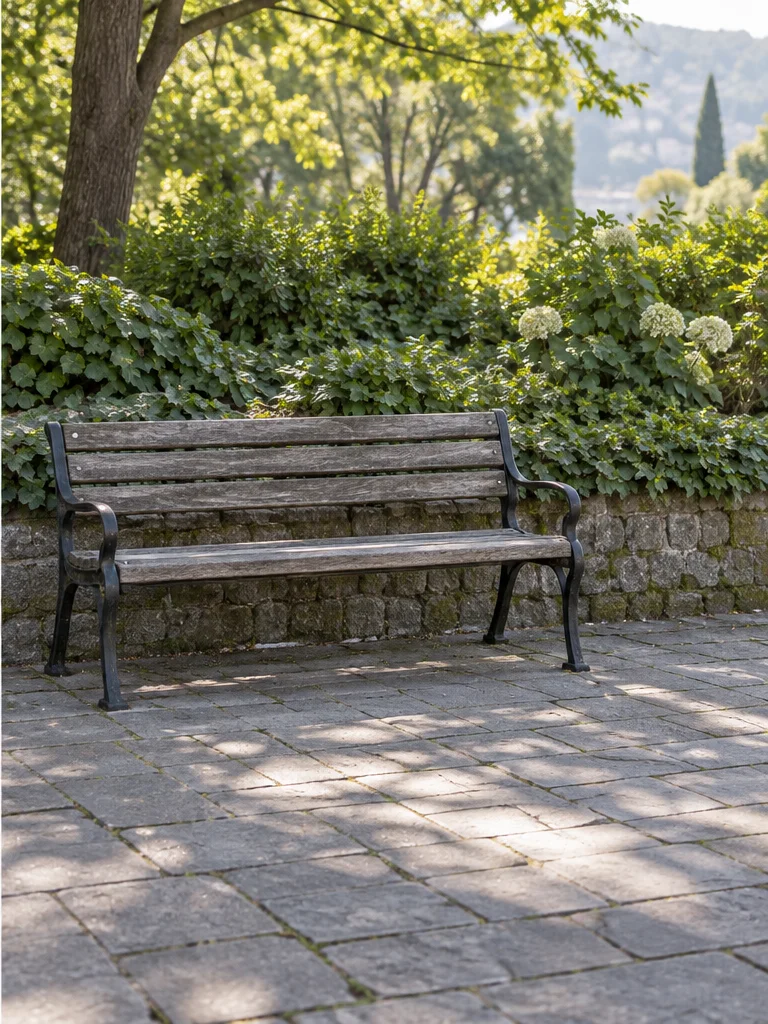
Test a Picsart object remover alternative on a clearly separated object: the orange bin beside this empty bench. Ask for paving, the low wall, and greenery to continue through the cleared area. Inspect the stone joints and leaf shadows afterward; repeating textures can reveal an uneven reconstruction even when the main distraction is gone.
Remove the orange bin beside the wooden bench. Rebuild the paving stones, low stone wall, and plants behind it. Keep the bench slats, tree, framing, and dappled afternoon light unchanged.
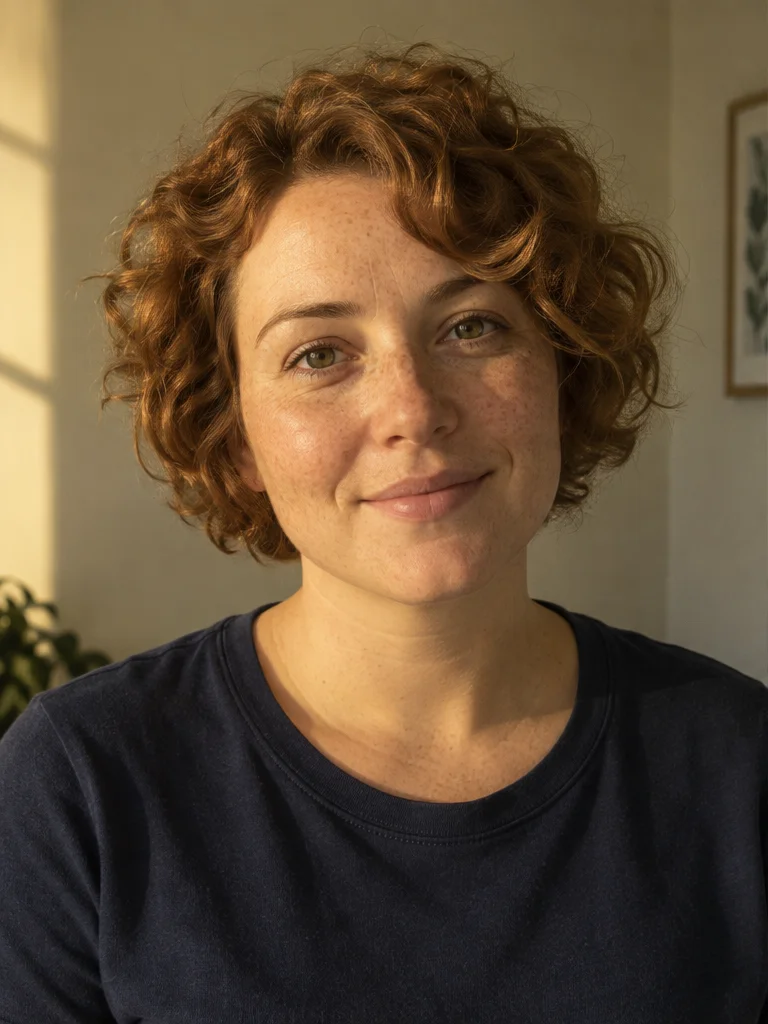
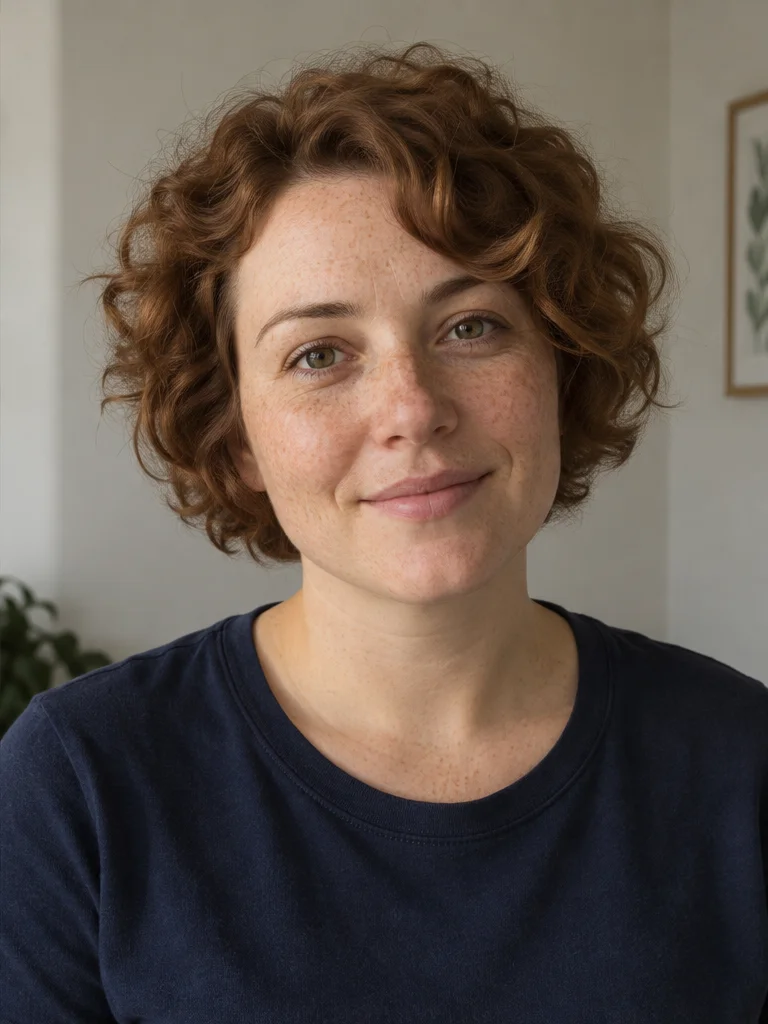
For a Picsart alternative focused on natural portraits, separate lighting correction from skin retouching. This brief softens a strong window shadow and reduces a yellow cast while keeping freckles and curls visible. Compare the eyes, smile, hairline, and skin texture closely. Asking to retain facial details guides the edit but does not guarantee an exact match.
Soften the strong window shadow on the face and reduce the yellow color cast. Keep the freckles, curly auburn hair, face shape, smile, navy shirt, and natural skin texture. Do not smooth the skin or change the framing.
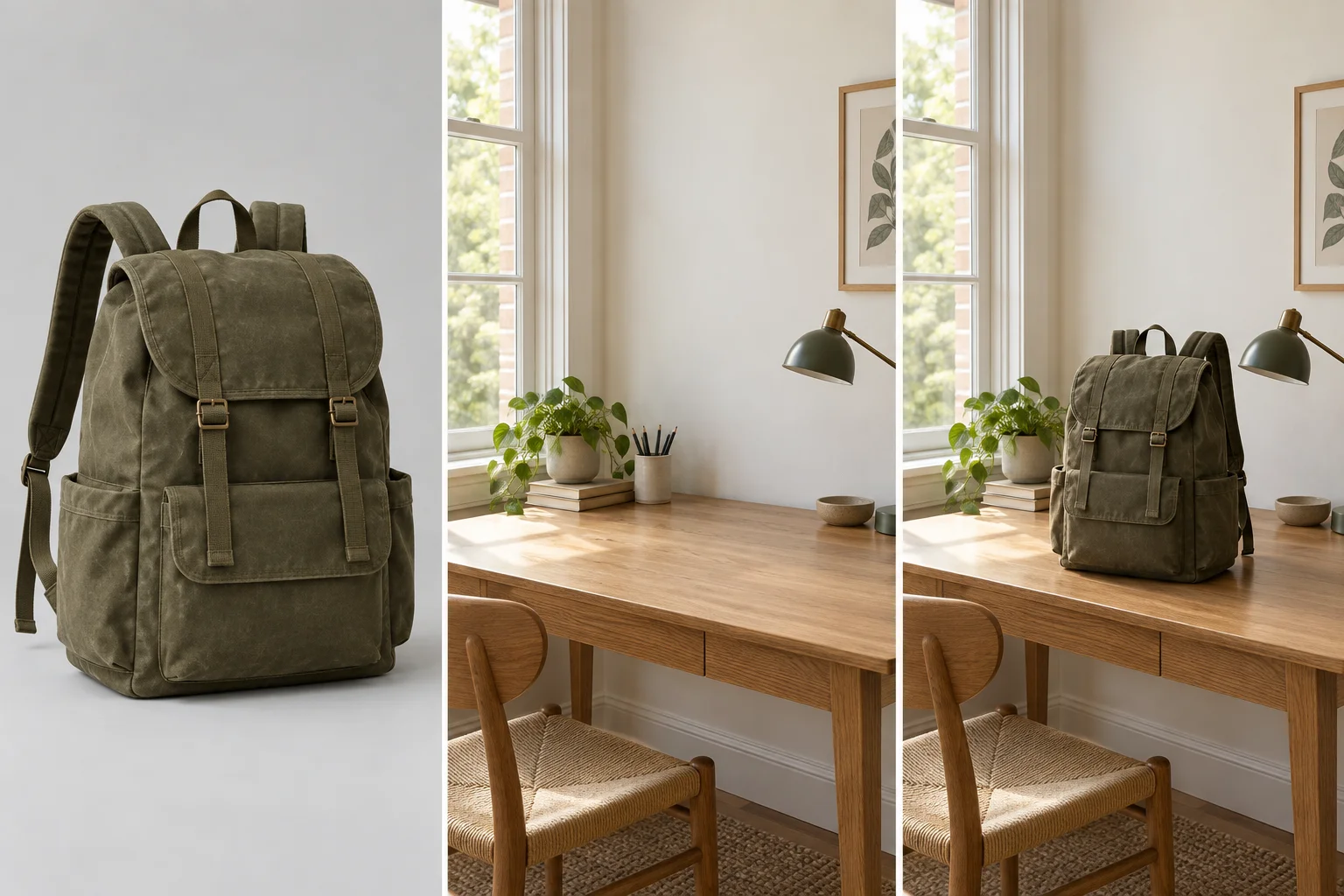
If your search for a Picsart alternative starts with a product and a setting, give each reference a clear role. Here, image 1 supplies the olive backpack and image 2 supplies the oak desk. Ask for matching window light and a contact shadow, then check the bag’s scale against the lamp and chair. This AI-generated illustration shows the intended composition, not a verified CiciGPT output. Two-reference editing creates one image, not a batch.
Use the olive canvas backpack from image 1 and the oak desk from image 2. Stand the backpack on the desk, matching its scale, perspective, and left window light. Preserve the flap, straps, brass buckles, stitching, and canvas color. Add a natural contact shadow.
Looking for a Picsart alternative for product photos? Explore cleaner backgrounds and lifestyle settings. Check the actual product’s shape, color, and details before publishing.
Explore background editingTry this Picsart alternative to adjust lighting and color for a more balanced portrait. Keep your instructions focused on the features you want to preserve.
Explore portrait lightingFor creators exploring Picsart alternatives, a consistent palette is a useful starting point. Give a photo warmer light or a different atmosphere. Describe the mood and keep important subjects and text in your review checklist.
Find a style promptConsidering a Picsart alternative for travel photos? Remove a distracting object or refine the setting around your subject. Start with one specific change and inspect the reconstructed area.
Explore photo cleanupThe workspace above keeps uploads, instructions, results, and downloads together on this page.
Choose one image, or add a second reference when you want to guide the setting, subject, or style. Use a clear JPEG, PNG, or WebP file up to 20MB.
Name the change, explain how it should look, and list the details that should stay the same. With two references, explain what to take from each image.
Check faces, text, edges, and small objects. Refine the prompt if needed, then download the result you want to keep. Each new generation uses your available allowance or credits.
Guests get 1 free edit daily, resetting at midnight New York time (ET). Signed-in generations cost 5 credits each. View current pricing.
Describe what to change, how it should look, and what to preserve. Use a prompt below and adapt the objects to your own photo. Selecting a prompt does not start a generation.
Replace the background with a softly lit home office. Keep the person, clothes, pose, and framing. Match the shadows to the new room.
Remove the plastic bag beside the chair and rebuild the floor naturally. Leave everything else as it is.
Brighten my face slightly and soften the shadow under my eyes. Keep my features and natural skin texture.
Change the green cushion to rust orange. Keep the fabric texture, folds, sofa, and lighting unchanged.
Give this café photo a warm film-like mood with soft contrast. Keep the composition, faces, and objects recognizable.
Take the vase from image 1 and place it on the table in image 2. Match its scale, perspective, and shadows to the room.
Looking for a photo editor like Picsart? CiciGPT is useful when you want to describe a photo change or combine two visual references. If your project needs detailed manual layers, editable typography, a template library, or repeated edits across many separate files, check that those controls are available in the tool you choose.
When choosing a Picsart alternative, match the workflow to your task. This page focuses on CiciGPT’s prompt-based editing.
| Your task | What this page offers |
|---|---|
| Describe a photo change | Single-image prompt editing |
| Guide an edit with another image | Two-reference generation |
| Process many independent files | Not a batch workflow |
| Design with editable layers or text | Not presented as a feature of this editor |
Start with one focused change and inspect every result. Faces, hands, readable text, logos, edges, and small objects can change during generation.
Upload JPEG, PNG, or WebP up to 20MB each. Choose JPG or PNG output and an original or selected aspect ratio. This editor requests approximately one-megapixel output; it does not offer a guaranteed 4K or lossless enlargement.
Guests receive 1 free edit daily. Each signed-in generation costs 5 credits. First registration includes a one-time gift of 5 credits. New attempts use your available allowance or credits. View current pricing.
Waiting time depends on queue and task complexity. If generation fails, your current images and prompt remain available so you can review the message and retry. No fixed completion time is promised.
Review the Privacy Policy for image handling and retention. For commercial use, read the Terms and check your rights to source images, likenesses, and protected material.
What to expect from this Picsart online editor alternative, from free access to reference images.
No. This page provides CiciGPT’s AI photo editor as an alternative workflow. CiciGPT is independent and is not affiliated with or endorsed by Picsart. Visit the official Picsart AI photo editor
You can try CiciGPT as a Picsart AI photo editor alternative for prompt-based edits such as changing a background, adjusting portrait lighting, removing a distraction, or combining two reference images. It does not reproduce every feature or workflow available in Picsart.
If you are looking for a free Picsart alternative, guests can try one free edit per day, resetting at midnight New York time (ET). Signed-in generations cost 5 credits each. New accounts receive a one-time gift of 5 credits on first registration. View current pricing
You can start a guest edit in your browser without creating an account or installing an app. A human-verification check may appear before generation. Sign-in and credits apply when using the account-based workflow.
Yes. Describe the new setting and specify what should stay unchanged. Include lighting and perspective details where useful, then inspect subject edges and shadows in the result.
Yes. Upload a main image and one reference image, then explain what to use from each. CiciGPT generates one result from the two references. This is different from editing multiple files as a batch.
This editor accepts JPEG, PNG, and WebP files up to 20MB each. Use one image in Single Image mode or two in Two Reference Images mode. Choose JPG or PNG for the output.
Not always. AI editing can change faces, text, logos, edges, or small objects even when you ask to preserve them. Use focused instructions and review the result before publishing or downloading it for a specific use.
No. PNG output alone does not guarantee transparency. Check whether your generated file contains a real transparent background before using it as a cutout. For a visual background change, describe a solid color or a new scene in your prompt.
Review CiciGPT’s current Privacy Policy before uploading, especially for sensitive or confidential images. This page does not promise a fixed server-side deletion period. Images are submitted to the editing service when you choose Generate. Read the Privacy Policy
Choose one change you want to make, upload your image, and try it in CiciGPT. Add a second reference when a picture explains your idea better than words.
Upload a Photo